
Seven Game APK Download Latest Version 2026 for Android
Get the latest Seven Game APK from the official link and install it on your Android phone in about two minutes. This page shows the safe way to download, install and update Seven Game, how to spot a fake APK, and how to fix the most common install errors.
Seven Game APK File Details
| Detail | Information |
|---|---|
| App name | Seven Game (SEVEN.GAME) |
| File type | Android APK |
| Version | Latest 2026 build from the official link |
| File size | Changes with each version |
| Works on | Android phones and tablets. iPhone and PC use the browser version |
| Download source | Official Seven Game website |
| Price | Free to download and install |
| Account | Pakistani mobile number (+92) required |
| Age limit | 18 years and above |
Before you download
- Seven Game is not on Google Play. The apps named “Seven” there are different games.
- Download only from the official link on this page. Do not install APKs shared on WhatsApp, Telegram or YouTube comments.
- Seven Game is a real-money app. You can lose the money you deposit, so read our safety section first.
How to Download and Install the Seven Game APK
- Tap Download Seven Game APK on this page. The official Seven Game website opens.
- Tap the Download APP button at the bottom of that page.
- If Chrome warns that the file may be harmful, tap Download anyway only if the link came from the official site.
- When the download finishes, tap Open in the notification or find the file in Files → Downloads.
- Android may say installs from this source are blocked. Tap Settings, turn on Allow from this source and go back.
- Tap Install and wait a few seconds.
- Tap Open to start Seven Game, then switch Allow from this source off again.
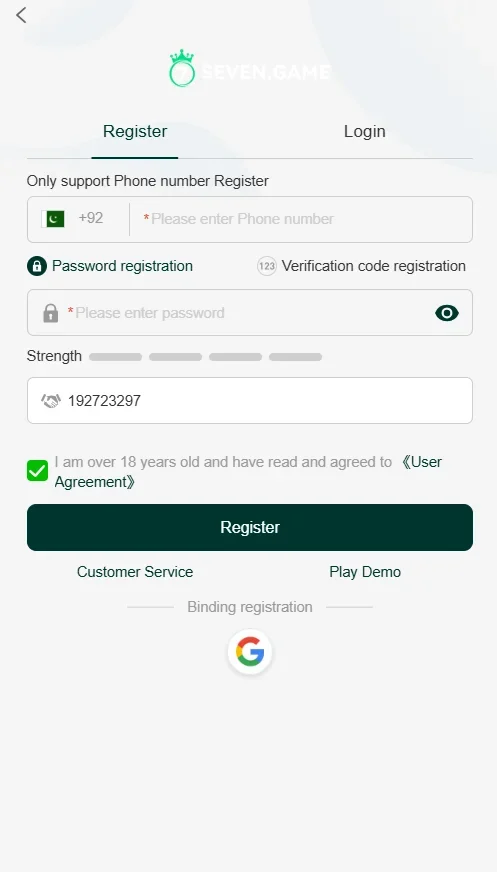
The first time it opens, Seven Game shows the Register and Login screens. Follow our registration guide to create your account with your +92 number.
How to Tell the Real Seven Game APK from a Fake One
Because Seven Game is popular, fake copies and “mod” versions are spread online to steal OTP codes and wallet details. Check these points:
Official source only
The real APK comes from the official Seven Game website. Our download button links to it directly.
Correct name and logo
The installed app shows the SEVEN.GAME logo with a green 7 and a crown, and the name Seven Game.
Only +92 sign-up
The real app asks for a Pakistani phone number and a password or OTP. It never asks for your wallet PIN.
No mod or hack versions
There is no official “mod”, “unlimited money” or “prediction” version. Any file sold or shared with those claims is fake.
How to Update Seven Game to the Latest Version
Seven Game usually updates itself. When a new version is released, the app shows an update message when you open it. Tap it and the new version installs over the old one, and your account and balance stay safe because they are stored on your account, not on your phone.
If the update fails or the app keeps showing an error, download the APK again from the official link and install it over the current app. Do not uninstall first unless the support team asks you to.
Seven Game on iPhone and PC
There is no App Store app for Seven Game. On an iPhone, open the official website in Safari, tap Play now, then use Share → Add to Home Screen for a shortcut. On a Windows PC or laptop, open the same website in Chrome and play in the browser.
Seven Game APK Install Problems and Fixes
| Problem | Why it happens | How to fix it |
|---|---|---|
| “App not installed” | Not enough storage, or an old copy is blocking the install | Free up at least 100 MB, remove any fake copy of Seven Game, then install again. |
| “There was a problem parsing the package” | The download stopped halfway or the file is damaged | Delete the file, download it again on stable Wi-Fi and reinstall. |
| Blocked by Play Protect | Google scans apps that are not from Google Play | If the file came from the official link, tap More details → Install anyway. |
| Download does not start | Pop-up blocker or slow connection | Open the official page in Chrome, allow downloads and try again. |
| App opens a blank screen | Weak internet or an old version | Switch to 4G or Wi-Fi, update the app from the official link and restart your phone. |
After installing: log in to Seven Game
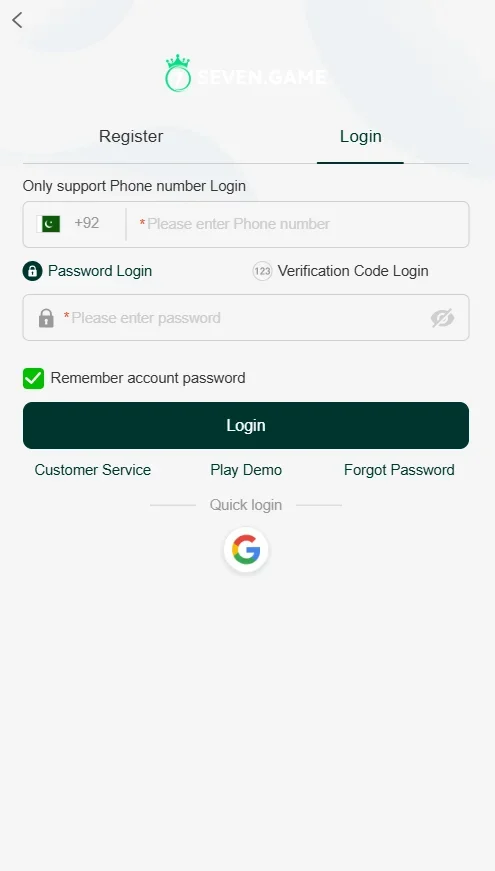
Open the app, tap Login, enter your +92 number and use Password Login, Verification Code Login or Google quick login. If you cannot remember your password, tap Forgot Password.
Need more help? Read our complete guide to Seven Game login, deposits and withdrawals.
Get the latest Seven Game APK
Download Seven Game from the official link, or go back to the full guide for login, deposit and withdrawal steps.
Seven Game APK Download FAQs
Is the Seven Game APK free to download?
Yes. The Seven Game APK is free to download and install from the official link. You only spend money if you choose to deposit inside the app.
Is Seven Game available on Google Play?
No. The Seven Game earning app is not on Google Play. The apps called “Seven” on Google Play are different games, so Android users install Seven Game as an APK.
Is it safe to install the Seven Game APK?
Installing the APK from the official link is the safest option, but Seven Game is still a real-money app without a licence you can verify. Never install modded copies and never share your OTP or wallet PIN.
How do I update Seven Game?
Open the app and accept the update message when it appears. If updating fails, download the latest APK from the official link and install it over the current version.
Why does my phone say “App not installed”?
This usually happens when storage is low, the download is incomplete or an old or fake copy is already installed. Free up space, remove the old copy and download the APK again.
Can I download Seven Game on iPhone?
There is no iPhone app. iPhone users can open the official Seven Game website in Safari, tap Play now and add it to the Home Screen.
Disclaimer: Sevengameapk.com.pk is an independent guide and is not connected to Seven Game. We do not host the APK file and do not handle accounts or payments. Seven Game involves real money and is for adults aged 18 and above only. Online betting is restricted under Pakistani law. Read our full Disclaimer.
Written and checked by the Sevengameapk.com.pk team. Last updated: 18 November 2026.